

1. Advanced Hardware Diagnostics:
If your specific issue wasn't listed, you can use built-in diagnostic tools hidden within the printer's firmware to find the root cause.
- Print a Hardware Diagnostics Page: Most printers allow you to print a secret health report. This is usually done by holding the Resume/Cancel button for 10 seconds, or navigating to Settings > Reports > Print Quality Report.
- Use Manufacturer Software: Programs like HP Print and Scan Doctor or Canon IJ Network Tool can automatically detect uncommon registry or sensor issues that Windows cannot see.
- Check the Event Log: Advanced printers have an event log in their Embedded Web Server (EWS) that lists the exact hexadecimal codes of every failure.
2. Identifying Hardware Degradation:
Printers have consumable parts beyond just ink and toner. Over time, these parts degrade and cause strange issues.
- Fuser Assembly (Laser Printers): If laser prints smear when touched, or pages come out wrinkled with repeating horizontal lines, the fuser is failing to heat the toner properly.
- Transfer Belt: Faded colors or misalignment on laser printers can point to a worn transfer belt.
- Worn Pick-up Rollers: If paper consistently feeds crooked, or the printer makes a grinding noise but fails to pull paper, the rubber pickup rollers are likely worn smooth and need replacement.
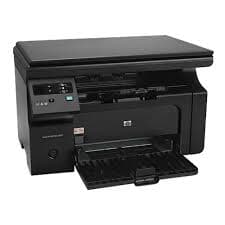
3. Firmware Recovery Mode:
If your printer's screen is completely blank or stuck on a logo screen, the firmware may have crashed during an update.
- Search for your specific printer model's 'Firmware Recovery' or 'Cold Reset' button combination (e.g., holding the power and copy buttons while plugging it in).
- Connect the printer via USB and push a fresh firmware update file directly to the machine.
4. Getting Professional Remote Help:
When software troubleshooting fails and resets don't work, expert diagnosis is necessary to prevent causing further damage.
- Check your warranty status on the manufacturer's website using your serial number.
- If out of warranty, reach out to our certified technicians via the contact form or phone number. We offer dedicated, step-by-step remote assistance to resolve deeply rooted software conflicts and diagnose hardware failures accurately.
Summary
No matter how obscure the printer issue, our team is equipped to handle it. From legacy models acting up after Windows updates to the latest smart printers dropping network connections, we have the tools and expertise to get you back to printing smoothly.